How to Use Clipart: The Complete Buying & Usage Guide for Cards, Classrooms, and Crafts
There’s a specific kind of panic that hits when you’re staring at a blank invitation template, a bare classroom bulletin board, or an Etsy listing that just needs one good graphic — and you have no idea where to start. Learning how to use clipart well is the fastest, cheapest way to fix that problem, and it’s a skill almost anyone can pick up in an afternoon.
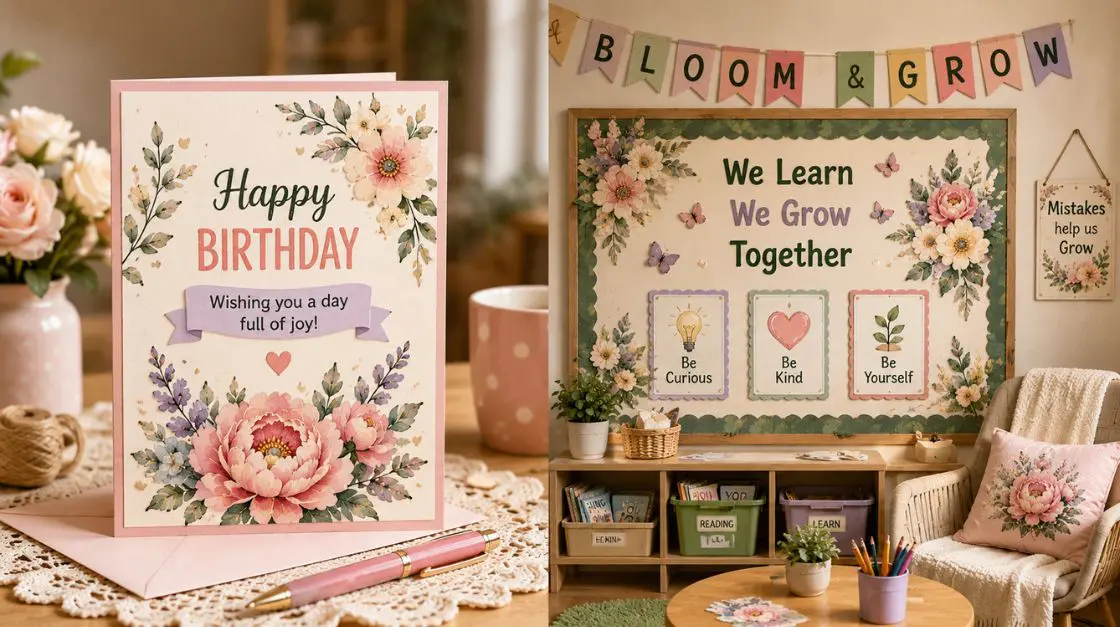
Clipart matters because it removes the biggest barrier between “I have an idea” and “I made something.” You don’t need to be a designer, own expensive software, or spend hours in a queue at the craft store. A single high-resolution file, downloaded in seconds, can become a birthday card, a classroom worksheet, a wall print, or a small business logo.
Here’s the value promise: by the end of this guide, you’ll know exactly how to use clipart for any project, how to download clipart safely and legally, what to look for before buying clipart, and how to go from a raw image file to a finished, professional-looking piece. Ready to stop staring at blank pages? Let’s get into it.
Want to skip straight to the source? Browse downloadable clipart collections in PDF and AI formats, or explore the full printable digital downloads shop.
Quick Answer
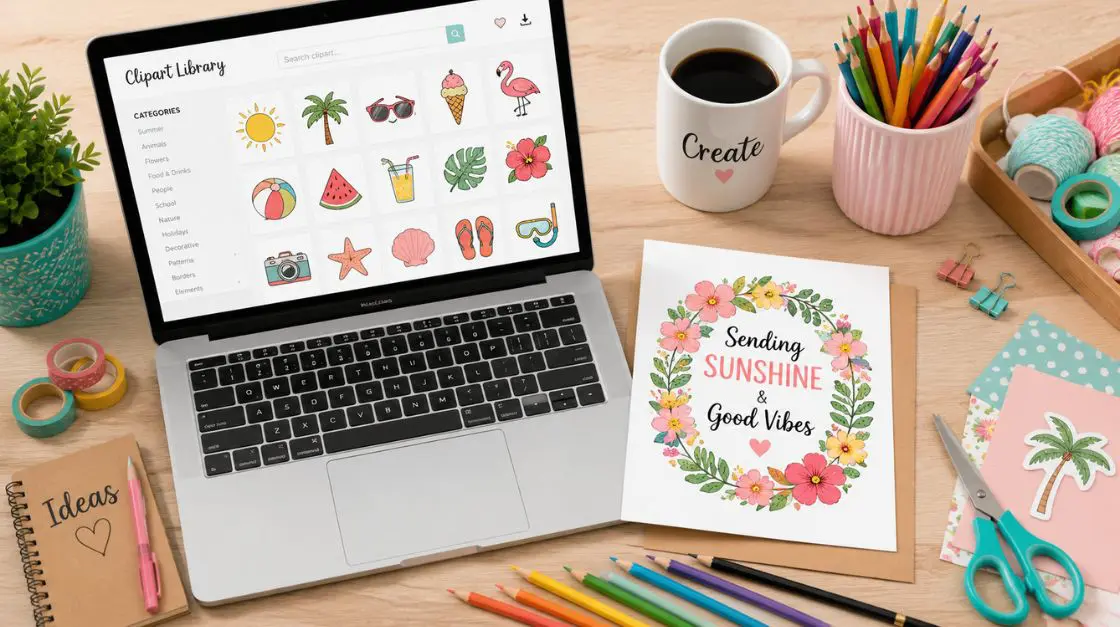
To use clipart, choose a high-resolution PNG or PDF file, download it from a licensed source, then insert it into your design tool (Canva, Word, Procreate, or a print template). Resize without stretching, check the usage license for personal or commercial use, and export at 300 DPI for crisp printing. That’s the entire process — the rest is style and creativity.
Why This Matters: The Real Benefits of Using Clipart
It Saves Time and Money
Hiring an illustrator for a single greeting card or classroom handout rarely makes financial sense. A well-organized clipart buying strategy — grabbing a themed bundle instead of one-off images — gives you dozens or hundreds of usable assets for less than the cost of a single custom commission.
It Levels the Playing Field for Non-Designers
You don’t need Adobe Illustrator training to understand how to use clipart effectively. If you can drag, drop, and resize, you can build a professional-looking card, poster, or worksheet. This is exactly why teachers, small business owners, and hobbyists lean on clipart so heavily — it’s design accessibility in file form.
Real-Life Use Cases
- Teachers building a themed classroom bulletin board or worksheet in the evening, not on the weekend.
- Parents, create a custom birthday card faster than it takes to drive to the store — see our guide on what to write in a birthday card, with wording to go with it.
- Small business owners producing seasonal social posts, packaging inserts, or product mockups without a design budget.
- Crafters assembling scrapbook pages, party decorations, or handmade gift tags.
A few quick summary points on clipart using habits worth adopting immediately:
- Keep a personal folder organized by theme (holidays, animals, food, borders), so you’re never starting from zero.
- Always check the license terms before buying clipart — personal-use files and commercial-use files are not interchangeable.
- Favor vector or 300 DPI raster files; anything lower will look blurry the moment you print it larger than a business card.

The Expert Insight: Why Clipart Works So Well Psychologically
There’s a reason clipart hasn’t gone anywhere despite decades of design tool advancement: it lowers the barrier to creative expression, and lower barriers correlate strongly with follow-through. Educators who study creative confidence often cite “blank page anxiety” as the single biggest reason people abandon a project before it even starts. A ready-made image set — a clip art example already matched to your theme — removes that anxiety almost entirely.
From a classroom design perspective, visual anchors (such as a cheerful icon next to instructions or a themed border around a worksheet) also improve information retention for younger learners. This is part of why teacher-created resources so heavily favor clipart over blank templates; the graphics aren’t just decoration, they’re functional signposts.
There’s also a simple creative-flow argument: when you don’t have to draw the base asset yourself, your mental energy shifts to composition, color, and message — the parts of the project that actually reflect your voice. That’s the quiet magic behind knowing how to use clipart skillfully: it’s not about avoiding creativity, it’s about redirecting it to where it matters most.
Clip Art Examples -Types & Categories(And How to Use Each)
Understanding categories makes clipart buying dramatically easier, because you can shop with a specific outcome in mind instead of scrolling endlessly.
Seasonal & Holiday Clipart
Best for greeting cards, classroom decorations, and social content tied to a specific time of year. Our happy new year template cards are a good clip art example of a themed set built for exactly this kind of quick-turnaround project.
Best audience: teachers, party planners, small businesses running seasonal promotions. Suggested use: printable cards, bulletin boards, seasonal social graphics.
Food & Lifestyle Clipart
Grill icons, kitchen scenes, and picnic graphics work well for recipe blogs, cookbook covers, and summer party invites. Browse barbecue clipart for a set built specifically around grilling and cookout themes.
Best audience: food bloggers, event planners, small restaurant or catering businesses. Suggested use: menus, invitations, packaging labels.
Nature & Botanical Clipart
Florals remain one of the most requested categories for a reason — they suit everything from wedding stationery to nursery wall art. The flower clipart collection is a strong starting point for elegant, high-resolution botanical elements.
Best audience: stationery designers, home decorators, wedding planners. Suggested use: invitations, journals, framed wall art.
Character & Novelty Clipart
Cute or funny character sets bring personality to kids’ projects, classroom rewards charts, and party favors. The characters clipart collection covers a wide range of expressive, versatile designs.
Best audience: teachers, parents, party planners. Suggested use: stickers, reward charts, birthday decorations.
Technology & Modern Object Clipart
Not every project is floral and whimsical — sometimes you need a clean, modern icon set. Camera clipart works well for photography branding, travel scrapbooks, and social media templates.
Best audience: photographers, bloggers, small business owners. Suggested use: branding kits, social templates, packaging.
AI-Generated & Digital Art Clipart
A newer category worth understanding: AI-assisted illustration sets, which often provide unique compositions you won’t find in traditional stock libraries. Explore AI generated images for illustration packs built this way.
Best audience: designers who want distinctive, less common visuals. Suggested use: feature graphics, unique branding elements, digital collage.
Clipart Formats & Sourcing Compared
Not every clip art example comes the same way, and the format you choose directly affects print quality and flexibility. Here’s how the common options stack up:
| Feature | Downloadable Digital Clipart | Physical Sticker/Stamp Books |
|---|---|---|
| Convenience | Instant download, use immediately | Requires shipping and physical storage |
| Cost | Often $2–$15 for full bundles | Comparable or higher per-project cost over time |
| Flexibility | Resize, recolor, recombine freely (license permitting) | Fixed size and color, cannot be edited |
| Accessibility | Usable across devices, printers, and software instantly | Limited to physical availability |
| Customization | High — layer with text, borders, other graphics | Low — designs are fixed as printed |
| Reprintability | Print unlimited times (per license) | One-time physical use per sticker/stamp |
The takeaway: for most modern crafting, classroom, and small-business needs, downloadable clipart wins on nearly every dimension except the tactile feel of a physical product — which matters for a scrapbooking hobbyist, but rarely for a teacher printing forty worksheets by Friday.
Step-by-Step Guide: How to Use Clipart From Download to Finished Project
Step 1: Define Your Project First, Then Shop
Before you even open a clipart buying page, know what you’re making — a card, a worksheet, a poster — and its rough dimensions. This single step prevents the most common beginner mistake: buying a beautiful image that’s the wrong shape or resolution for the job.
Tip: Standard greeting cards fold to 5×7 inches; classroom worksheets are almost always US Letter or A4.
Step 2: Choose the Right File Format
For anything you plan to print, prioritize high-resolution PNG (with transparent background) or PDF files at 300 DPI. For anything you’ll resize dramatically — think a small icon blown up to a poster — a vector format (SVG or AI) holds up better since it scales without quality loss.
Tip: Learn more about why resolution matters in our guide to high resolution files.
Step 3: How to Download Clipart From a Licensed Source
This is the step people skip, and it’s the one that causes headaches later. Confirm whether the license covers personal use only or commercial use, and whether attribution is required. Reputable digital shops list this clearly on the product page.
Tip: Instant-download shops eliminate shipping delays entirely — see our explainer on what instant download means if the term is new to you.
Step 4: Import Into Your Design Tool
Drop the file into Canva, Word, Google Slides, Procreate, or any other software that fits your project. Most tools accept PNG and PDF without any conversion needed.
Tip: If your design software struggles with a PDF, extract the image as a PNG first — most free online converters handle this in seconds.
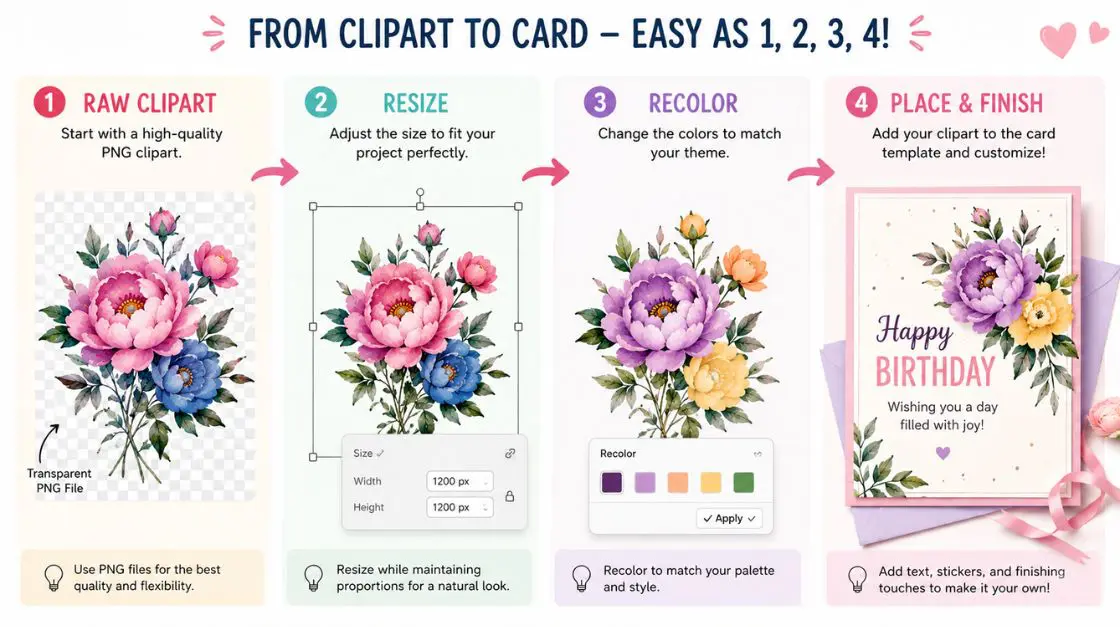
Step 5: Resize Proportionally
Always hold the shift key (or use the “lock aspect ratio” toggle) while resizing so your clip art example doesn’t stretch or distort. Distorted clipart is one of the fastest ways to make a project look unpolished.
Step 6: Layer, Recolor, and Combine
This is where clipart using really becomes creative work. Layer a floral border behind a text box, recolor a black-and-white icon to match your palette, or combine two images into a themed scene. Many modern design tools let you recolor PNGs directly without needing the original vector file.
Step 7: Print or Export at the Right Settings
Match your paper choice to your project — cardstock for cards, standard paper for worksheets. Our printer paper weight guide breaks down exactly which gsm is best for each project type.
Once you’ve chosen and downloaded your clip art, the next step is putting the pieces together into a finished design. For a full walkthrough — matching styles, layering elements in the right order, and exporting a clean final image — see our guide on how to put together an image from clip art.
Visual Inspiration: What Great Clipart Projects Actually Look Like
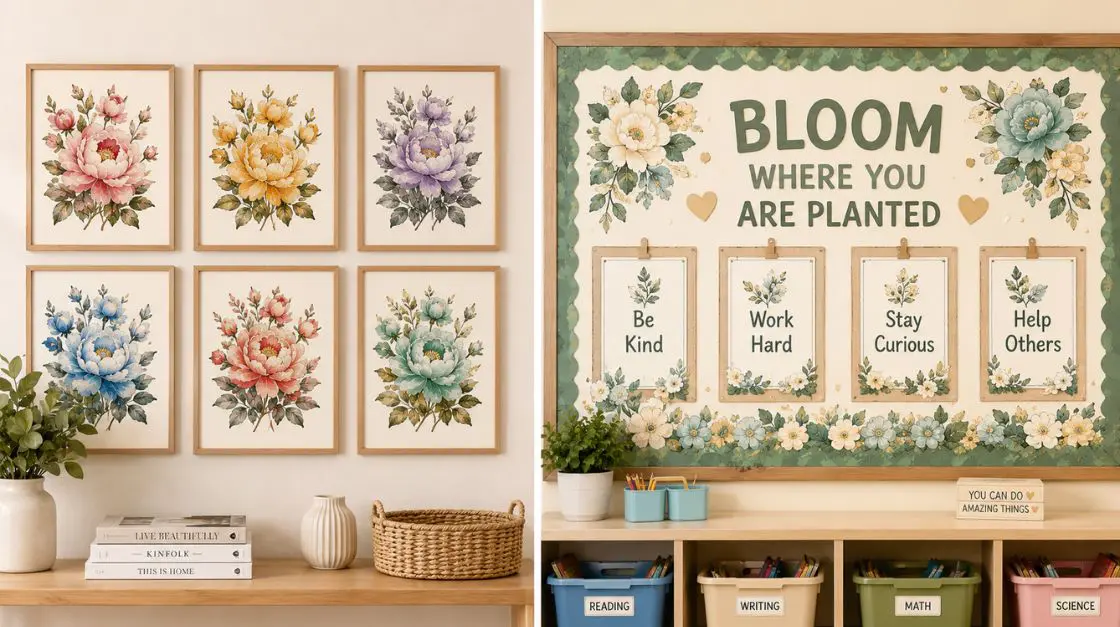
Picture a soft, sage-green nursery wall featuring three framed botanical prints — each built from a single flower clipart set, simply recolored and reframed at different scales for visual rhythm. Or a classroom door transformed for autumn with a border built entirely from a handful of pumpkin and leaf icons, repeated and rotated for a hand-crafted feel.
Some styles worth experimenting with as you explore clip art examples:
- Minimalist single-icon focus — one clean graphic, generous white space, ideal for modern branding.
- Collage-style layering — multiple small icons overlapping for a scrapbook or bulletin-board aesthetic.
- Monochrome recoloring — taking a busy multicolor clipart set and recoloring it in a single tone for cohesive, elegant branding.
- Mixed-media pairing — combining clipart with hand-lettering or photography for a layered, personal feel.
Don’t be afraid to print a test page before committing to a full batch — colors on-screen and colors on paper can differ more than you’d expect, especially with warm tones like orange and red.
Featured Resources for Your Next Clipart Using
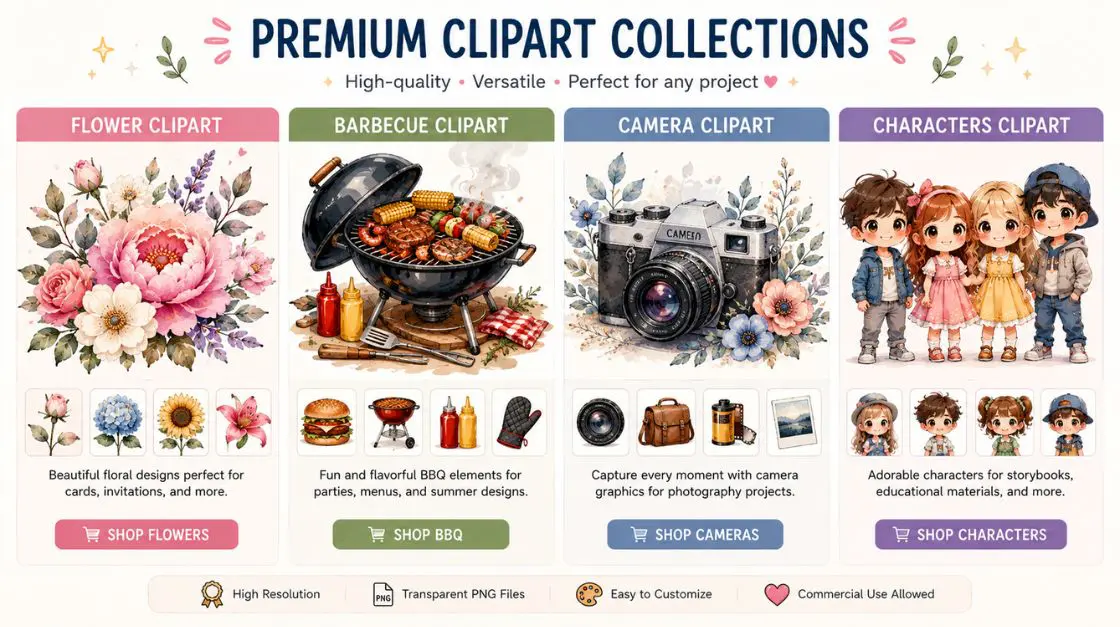
Flower Clipart Collection — Premium 300 DPI botanical illustrations perfect for cards, journals, and home decor. Best for anyone building floral-themed stationery or wall art. Add this to your library if botanicals are a recurring theme in your work.
Barbecue Clipart Set — Grill, flame, and food icons ready for summer invitations and menus. Best for event planners and food-focused small businesses.
Camera Clipart Pack — Clean, modern photography icons for branding and social templates. Best for photographers and content creators.
Characters Clipart Bundle — Cute, versatile character designs for classroom rewards and party decor. Best for teachers and parents.
Downloadable Clipart Hub — Browse the full library of PDF and AI-format clipart across every theme. Best starting point if you’re not yet sure which set fits your project.
Frequently Asked Questions about how to use clipart
Q1: What is the easiest way of clipart using if I’m a complete beginner?
A: Start with a drag-and-drop tool like Canva. Upload your downloaded clipart file, drop it onto a template, resize it by dragging a corner, and add text. No design software experience is required for a clean, professional result.
Q2: How do I download clipart without running into low-quality files?
A: Look for listings that specify 300 DPI or higher, and prefer PNG files with transparent backgrounds over JPEGs, which often carry a white box background that’s hard to remove.
Q3: Is clipart buying different from buying a photo or stock image?
A: Yes. Clipart is typically illustrated (not photographic), often sold in themed bundles, and usually licensed for both digital and print use, whereas stock photography licensing can be more restrictive and priced per single image.
Q4: Can I use clipart for a small business or is it personal use only?
A: It depends entirely on the license attached to that specific file. Always check the listed usage rights before commercial use — many shops offer both personal-use and commercial-use license tiers at different price points.
Q5: What’s a good clip art example of a versatile, multi-project asset?
A: A simple botanical or floral icon set tends to be the most versatile — it works for weddings, nurseries, birthday cards, and home decor without feeling out of place in any of them.
Q6: How to use clipart if I need to recolor it to match my brand or theme?
A: Most design tools (Canva, Photoshop, Procreate) let you recolor PNG clipart directly if the file has a transparent background. Select the image, use the recolor or hue tool, and adjust until it matches your palette.
Q7: Do I need special software to open clipart files?
A: No. PNG files open in virtually any image viewer or design tool, and PDF files open in free readers or can be imported directly into most design software.
Q8: How many clipart images do I actually need for a project like classroom decor?
A: For a themed bulletin board or worksheet set, 10–20 well-chosen images from one cohesive collection is usually plenty — more than that tends to create visual clutter rather than added value.
Related Guides & Resources
- High-Resolution Files: Why They Matter — a deeper look at DPI, print quality, and how resolution can make or break a project.
- What Does Instant Download Mean? — a plain-language explainer for anyone new to buying digital files.
- Printer Paper Weight Guide — match your paper choice to your printed clipart project.
- How to Print Coloring Pages at Home — printer settings advice that applies just as well to clipart-based projects.
- What to Write in a Birthday Card — perfect companion once your clipart-based card design is finished.
- Downloadable Clipart Hub — browse the full collection across every theme covered in this guide.


Final Thoughts: Start Your Next Project Today
Knowing how to use clipart isn’t just a design shortcut — it’s a genuinely useful, transferable skill that pays off every time you need a card, a classroom resource, or a small creative project done well and done fast. Whether you’re drawn to soft botanical illustrations, playful characters, or clean modern icons, the process is the same: choose thoughtfully, download from a licensed source, resize with care, and print at the right settings.
You now have everything you need to go from a blank page to a finished, professional-looking project — and a shelf of resources to return to whenever inspiration runs low.
Ready to build your first project? Browse the downloadable clipart library and grab your first themed set today.